Engine profile security configuration
Engine profiles are the primary way administrators in H2O AI Engine Manager (AIEM) enforce resource boundaries and operational limits on the engines users create. A profile defines the resource constraints, timeout limits, and configuration rules that apply to every engine created with it. Administrators also control which engine versions and container images users can select. Together, these settings let you apply least-privilege resource governance across a workspace.
This page is a reference for the security-relevant profile, version, and image settings, their defaults, and the recommended values.
Before you begin
- You need an engine admin role (
enginemanager-dai-engine-admin,enginemanager-h2o-engine-admin, orenginemanager-notebook-engine-admin) assigned in theworkspaces/globalworkspace. See RBAC roles and permissions for the full permission breakdown. - You need access to the AIEM REST API or web interface.
- AIEM manages engine profiles, engine versions, and notebook and sandbox images in the
workspaces/globalworkspace, so assign the relevant admin role in the global workspace to the people who manage them. Sandbox engine templates and engine instances are managed per project workspace.
AIEM creates no profiles, versions, or images by default. Until an administrator creates them, users cannot create engines. Create at least one profile and one approved version or image per engine type before users start working.
Engine profiles
Each engine type has its own profile schema. Profiles for Driverless AI, H2O-3, and Notebook engines share a common set of resource and access controls, and each type adds settings specific to its engine.
Manage profiles through the REST API at these endpoints:
- Driverless AI:
POST|GET|PATCH|DELETE /v1/workspaces/global/daiEngineProfiles[/{profile}] - H2O-3:
POST|GET|PATCH|DELETE /v1/workspaces/global/h2oEngineProfiles[/{profile}] - Notebook:
POST|GET|PATCH|DELETE /v1/workspaces/global/notebookEngineProfiles[/{profile}]
See the REST API reference for full request and response schemas.
Resource constraints
Resource constraints bound how much compute an engine can request. Each constraint is a structured value with a min, a max, and a default. Numeric constraints also accept an optional cumulative_max that caps the total across all of a user's engines of that type in the workspace, regardless of profile. When you leave max unset, the value is unlimited, so always set an explicit max to prevent resource exhaustion.
| Constraint | Engine types | Description |
|---|---|---|
cpu_constraint | Driverless AI, H2O-3, Notebook | CPU core allocation range. |
gpu_constraint | Driverless AI, H2O-3, Notebook | GPU allocation range. Constrain this to control access to expensive GPU resources. |
memory_bytes_constraint | Driverless AI, H2O-3, Notebook | Memory allocation range. |
storage_bytes_constraint | Driverless AI, Notebook | Persistent storage allocation range. |
node_count_constraint | H2O-3 | Number of nodes in the H2O-3 cluster. Controls distributed compute scale. |
Each resource constraint is a required field when you create a profile.
Duration and concurrency limits
Duration and concurrency limits prevent idle and abandoned engines from consuming resources indefinitely. Set them to enforce cost and resource governance.
| Setting | Engine types | Type | Default | Description |
|---|---|---|---|---|
max_idle_duration_constraint | Driverless AI, H2O-3, Notebook | Duration range (min/max/default) | Required | Pauses an engine (Driverless AI, Notebook) or terminates it (H2O-3, which has no pause) after it is idle for the configured duration. |
max_running_duration_constraint | Driverless AI, H2O-3, Notebook | Duration range (min/max/default) | Required | Pauses an engine (Driverless AI, Notebook) or terminates it (H2O-3, which has no pause) after it has run for the configured duration. |
max_unused_duration | Driverless AI | Duration | Unset (no limit) | Auto-deletes an engine that stays in a paused or failed state for this duration. |
max_non_interaction_duration | Driverless AI | Duration | Unset (not applied) | When set, a Driverless AI engine is auto-paused only if it is idle and has also had no system interaction for this duration. |
max_running_engines | Driverless AI, H2O-3, Notebook | Integer | Unset (unlimited) | Maximum number of engines of this type a single user can run simultaneously. This count includes all of that user's active engines (engines that are not paused, failed, or terminated) in the workspace regardless of which profile they use. |
Set max_running_engines to a limit appropriate for your organization to prevent a single user from monopolizing workspace resources, and set max_unused_duration on Driverless AI profiles to clean up abandoned engines automatically.
Driverless AI configuration controls
Driverless AI profiles add settings that govern whether and how users can change Driverless AI configuration (config.toml). These settings exist only on Driverless AI profiles.
| Setting | Type | Default | Description |
|---|---|---|---|
config_editability | Enum: CONFIG_EDITABILITY_DISABLED, CONFIG_EDITABILITY_BASE_CONFIG_ONLY, CONFIG_EDITABILITY_FULL | None — required | Controls whether users can change Driverless AI configuration parameters. |
configuration_override | Map | Empty | Configuration that overrides user settings. Users cannot change these values. |
base_configuration | Map | Empty | Default configuration that a user can override when config_editability allows it. |
triton_enabled | Boolean | false | Enables the built-in Triton inference server in the Driverless AI engine. |
config_editability is a required field with no default value — you must set it to one of the three values on every Driverless AI profile:
CONFIG_EDITABILITY_DISABLED— users cannot change any configuration.CONFIG_EDITABILITY_BASE_CONFIG_ONLY— users can change only the keys inbase_configuration.CONFIG_EDITABILITY_FULL— users can change any configuration value. This is the most permissive option.
CONFIG_EDITABILITY_FULL lets users override Driverless AI configuration freely. Set config_editability to CONFIG_EDITABILITY_DISABLED or CONFIG_EDITABILITY_BASE_CONFIG_ONLY unless users genuinely need full configuration control, and use configuration_override to enforce any security-relevant values that users must not change.
Profile access restrictions
By default, any user with access to a workspace can use any enabled profile in it. Restrict a profile to specific OIDC roles to limit who can create engines with sensitive resource allocations.
| Setting | Type | Default | Description |
|---|---|---|---|
assigned_oidc_roles_enabled | Boolean | false | When true, AIEM checks assigned_oidc_roles before letting a user use the profile. |
assigned_oidc_roles | List of strings | Empty | The OIDC roles allowed to use the profile when assigned_oidc_roles_enabled is true. |
enabled | Boolean | false | When set to false, the profile is disabled and cannot be used to create engines. |
Pod-level controls
Profiles can inject Kubernetes pod configuration into the engines they create. Review these settings carefully, because they change how engine pods are scheduled and what runs alongside them.
| Setting | Engine types | Description |
|---|---|---|
yaml_pod_template_spec | Driverless AI, H2O-3, Notebook | A custom PodTemplateSpec merged into the engine pod using strategic merge patch. Can add sidecars, tolerations, node selectors, volumes, and environment variables. Because the merge happens after the operator sets hardened security contexts, it can also override security-critical fields such as securityContext, allowPrivilegeEscalation, capabilities, and runAsNonRoot. Review every template before saving. |
yaml_gpu_tolerations | Driverless AI, H2O-3, Notebook | GPU node scheduling tolerations applied when the engine requests a GPU. |
gpu_resource_name | Driverless AI, H2O-3, Notebook | The Kubernetes GPU resource name (for example, nvidia.com/gpu). When unset, the server applies a default value. |
data_directory_storage_class | Driverless AI | The Kubernetes storage class for the Driverless AI data directory. When unset, the cluster's default storage class is used. |
storage_class_name | Notebook | The Kubernetes storage class for notebook persistent storage. When unset, the cluster's default storage class is used. |
H2O-3 runtime options
H2O-3 profiles add settings that pass extra options to the H2O-3 runtime. Review them for security-relevant flags.
| Setting | Type | Description |
|---|---|---|
java_classpath | String | Extra Java classpath for the H2O-3 process. Review for untrusted JAR files. |
java_options | String | Extra command-line options passed to Java. Review for debug or remote-access flags. |
h2o_options | String | Extra command-line options passed to H2O-3. |
Notebook git sync
Notebook profiles can sync a git repository into each notebook when the engine is created. Sync only trusted repositories, because synced content runs in the user's notebook environment.
| Setting | Type | Default | Description |
|---|---|---|---|
sync_git_repository_enabled | Boolean | false | Turns on git repository sync for notebooks created with the profile. |
git_repository | String | Empty | The git repository URL to sync. Restrict to trusted sources. |
git_ref | String | Unset (server applies HEAD) | The git revision (branch, tag, or commit hash) to check out. Pin to a specific ref for reproducibility. |
git_directory_name | String | Example | The directory in the user's home folder where AIEM syncs the repository. |
Engine versions and images
Administrators control which engine software versions and container images users can select. Curate these lists to make sure users deploy only approved software.
Manage versions and images through the REST API at these endpoints:
- DAI versions:
POST|GET|PATCH|DELETE /v1/workspaces/global/daiEngineVersions[/{version}],:assignAliases - H2O versions:
POST|GET|PATCH|DELETE /v1/workspaces/global/h2oEngineVersions[/{version}],:assignAliases - Notebook images:
POST|GET|PATCH|DELETE /v1/workspaces/global/notebookEngineImages[/{image}] - Sandbox images:
POST|GET|PATCH|DELETE /v1/workspaces/global/sandboxEngineImages[/{image}]
See the REST API reference for full request and response schemas.
| Resource | Engine type | Admin operations |
|---|---|---|
| DAI engine versions | Driverless AI | Create, update, delete, and assign aliases. |
| H2O engine versions | H2O-3 | Create, update, delete, and assign aliases. |
| Notebook engine images | Notebook | Create, update, delete, and enable or disable. |
| Sandbox engine images | Sandbox | Create, update, delete, and enable or disable. |
| Sandbox engine templates | Sandbox | Create, update, delete, and enable or disable. |
The following screenshots show the version and image list views in the AIEM web interface.
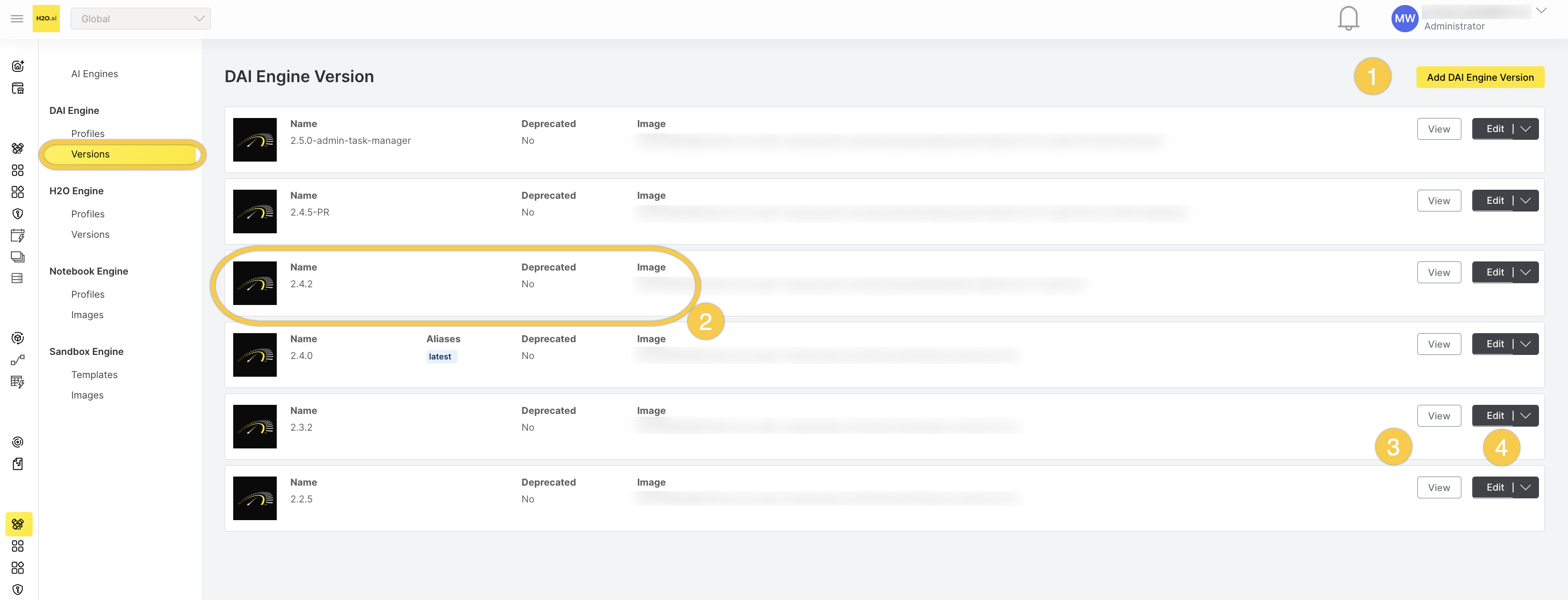
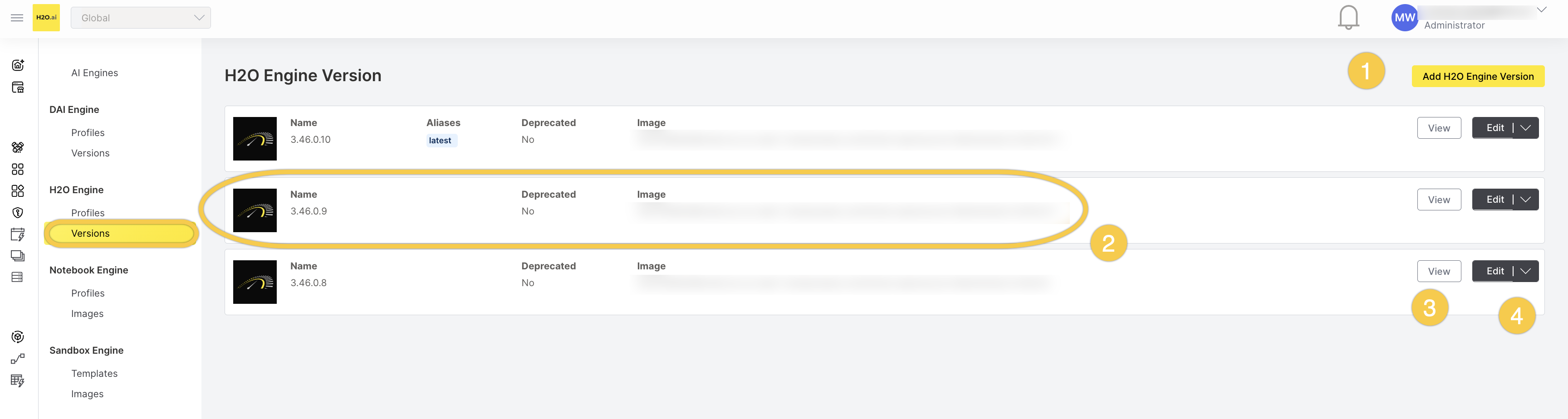
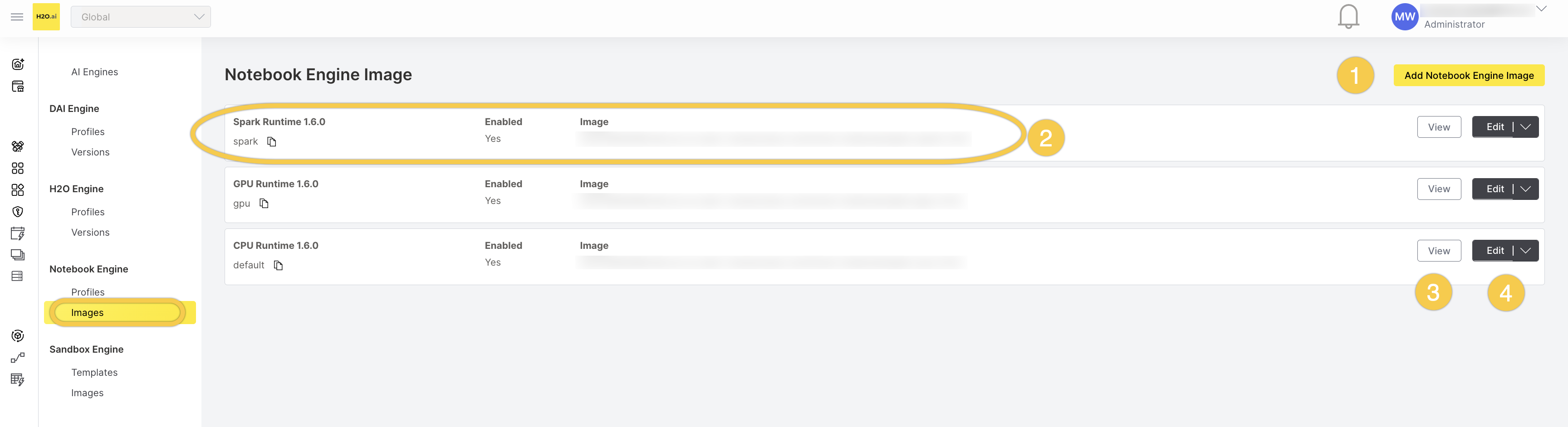
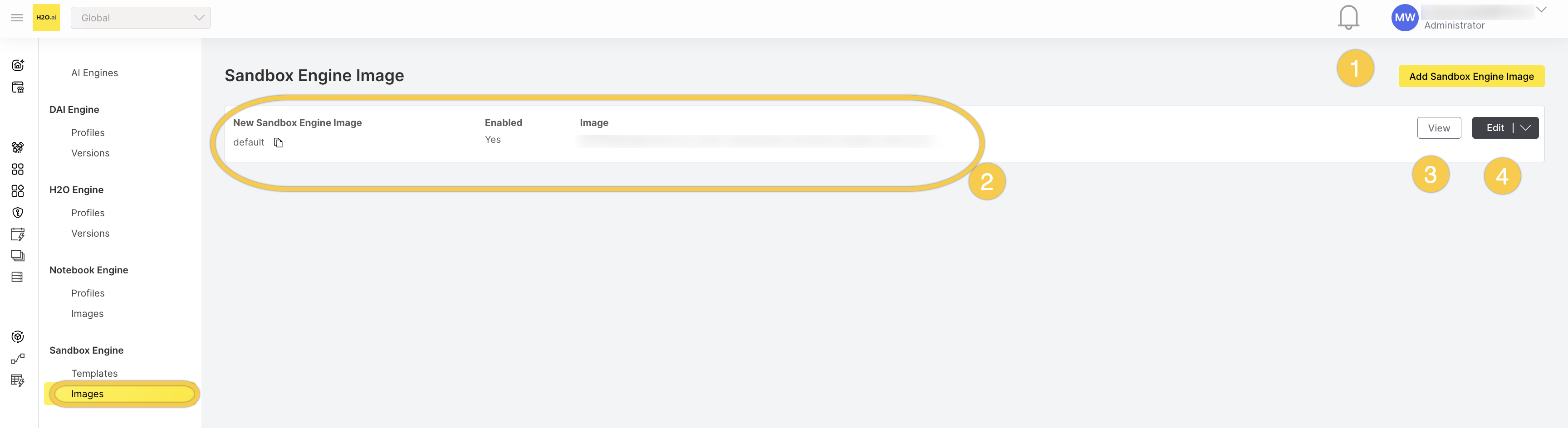
Apply these practices to keep the catalog secure:
- Deprecate outdated versions. Set the
deprecatedfield totrueon a version that should no longer be used. Users cannot create new engines with a deprecated version or upgrade an engine to it; engines already running on it are unaffected. - Use aliases to guide users. Assign aliases such as
latestandstableto approved versions so users select a known-good version. Aliases are a field on the version; assign them with the version's:assignAliasesoperation. - Disable images you do not need. A notebook or sandbox image, or a sandbox template, must have
enabledset totruebefore users can create engines with it. Leave unneeded images and templates disabled.
Sandbox engine templates
Sandbox engine templates define fixed resource allocations and the environment for sandbox engines. Set conservative limits and review the environment for sensitive values.
Manage sandbox templates through the REST API at: POST|GET|PATCH|DELETE /v1/workspaces/{workspace}/sandboxEngineTemplates[/{template}]
Unlike profiles, versions, and images, sandbox templates are managed per project workspace, not in the global workspace.
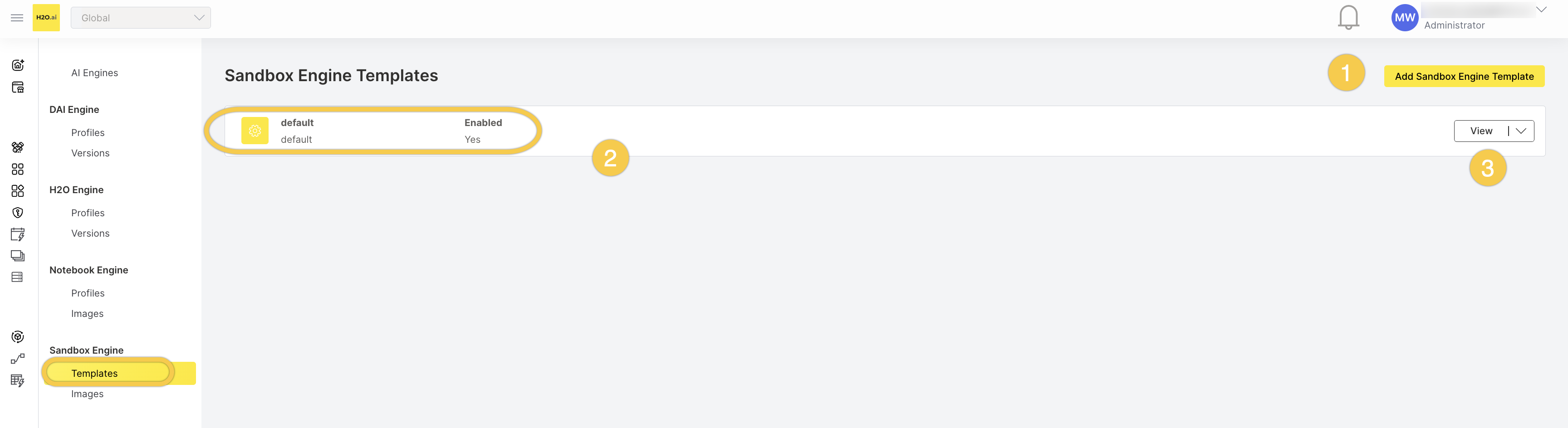
The following screenshot shows the sandbox engine template list view in the AIEM web interface.
| Setting | Type | Default | Description |
|---|---|---|---|
milli_cpu_request, milli_cpu_limit | Integer (milliCPU) | Unset | CPU request and limit. Set a limit to prevent resource exhaustion. |
memory_bytes_request | Integer | Unset | Memory request. |
memory_bytes_limit | Integer | Required | Memory limit. Always set to prevent memory exhaustion. |
storage_bytes | Integer | Unset | Ephemeral storage limit. Set to prevent disk exhaustion. |
gpu_resource, gpu | String, integer | Unset | The Kubernetes GPU resource name and the number of GPU units. Allocate GPUs only to templates that need them. |
max_idle_duration | Duration | Required | Auto-terminates the sandbox engine after this idle duration. A value of 0s disables the idle limit — avoid this in production because an idle sandbox consumes resources indefinitely. |
max_running_duration | Duration | Required | Auto-terminates the sandbox engine after this running duration. |
environmental_variables | Map | Empty | Environment variables injected into the sandbox. Review for sensitive values; do not include secrets. |
yaml_pod_template_spec | String (YAML) | Empty | A custom PodTemplateSpec merged into the sandbox pod. Review for security implications. |
enabled | Boolean | false | When set to false, the template is disabled and cannot be used to create sandbox engines. |
Secure defaults and recommendations
Use the following table as a hardening checklist when you create profiles, versions, and images. Most security-relevant limits are optional or required-with-no-default, so apply them deliberately.
| Setting | Default | Recommended |
|---|---|---|
| Engine profiles | None created | Create a profile per engine type with conservative resource constraints before users create engines. |
| Engine versions and images | None configured | Create an approved set; deprecate outdated versions; disable images you do not need. |
config_editability (Driverless AI) | None — required | Set to CONFIG_EDITABILITY_DISABLED or CONFIG_EDITABILITY_BASE_CONFIG_ONLY unless users need full configuration control. |
assigned_oidc_roles_enabled | false | Turn on for sensitive profiles and list the allowed roles in assigned_oidc_roles. |
max_running_engines | Unset (unlimited) | Set a per-user limit to prevent resource monopolization. |
max_unused_duration (Driverless AI) | Unset | Set so AIEM cleans up paused or failed engines automatically. |
yaml_pod_template_spec | Empty | Review every custom pod template before saving. The template is merged after the operator sets hardened security contexts, so a template that overrides securityContext, allowPrivilegeEscalation, capabilities, or runAsNonRoot weakens the platform defaults. |
Resource constraint max | Unset (unlimited) | Set an explicit max on every resource constraint (CPU, GPU, memory, storage, node count). Leaving max unset means unlimited and can lead to resource exhaustion. |
Sandbox template environmental_variables | Empty | Review for secrets; keep sensitive values out of templates. |
Verify current configuration
Administrators can review the current configuration through the AIEM REST API or the web interface. The following requests list profiles, versions, and images so you can compare them against your organization's requirements. Replace ENGINEMANAGER_URL with your AIEM host, TOKEN with a valid bearer token, and WORKSPACE with the target workspace ID (for example, my-project).
List engine profiles to verify resource constraints, duration limits, and config_editability:
curl -H "Authorization: Bearer $TOKEN" \
  https://ENGINEMANAGER_URL/v1/workspaces/global/daiEngineProfiles

curl -H "Authorization: Bearer $TOKEN" \
  https://ENGINEMANAGER_URL/v1/workspaces/global/h2oEngineProfiles

curl -H "Authorization: Bearer $TOKEN" \
  https://ENGINEMANAGER_URL/v1/workspaces/global/notebookEngineProfiles
List engine versions to verify that only approved versions are present and that outdated ones are deprecated:
curl -H "Authorization: Bearer $TOKEN" \
  https://ENGINEMANAGER_URL/v1/workspaces/global/daiEngineVersions

curl -H "Authorization: Bearer $TOKEN" \
  https://ENGINEMANAGER_URL/v1/workspaces/global/h2oEngineVersions
List notebook and sandbox images, and sandbox templates, to verify that only approved images are enabled and that templates set an idle limit and carry no secrets in their environment variables:
curl -H "Authorization: Bearer $TOKEN" \
  https://ENGINEMANAGER_URL/v1/workspaces/global/notebookEngineImages

curl -H "Authorization: Bearer $TOKEN" \
  https://ENGINEMANAGER_URL/v1/workspaces/global/sandboxEngineImages

curl -H "Authorization: Bearer $TOKEN" \
  https://ENGINEMANAGER_URL/v1/workspaces/WORKSPACE/sandboxEngineTemplates
Engine profiles, engine versions, and notebook and sandbox images are managed in the global workspace, so the preceding requests use workspaces/global. Sandbox templates and engine instances are per workspace, so replace WORKSPACE with the workspace you want to inspect.
Related topics
- Manage engine profiles — step-by-step instructions for creating, editing, and deleting profiles in the UI.
- RBAC roles and permissions — the roles that authorize the settings on this page.
- Create a new Driverless AI Engine — how a user selects a profile and version when creating an engine.
- Submit and view feedback for this page
- Send feedback about AI Engine Manager to cloud-feedback@h2o.ai