Create a new evaluation
Overview
In H2O Eval Studio, you can evaluate a model and generate executive dashboards for model comparisons and advanced insights. There are two ways how to create a new evaluation:
Create a new evaluation
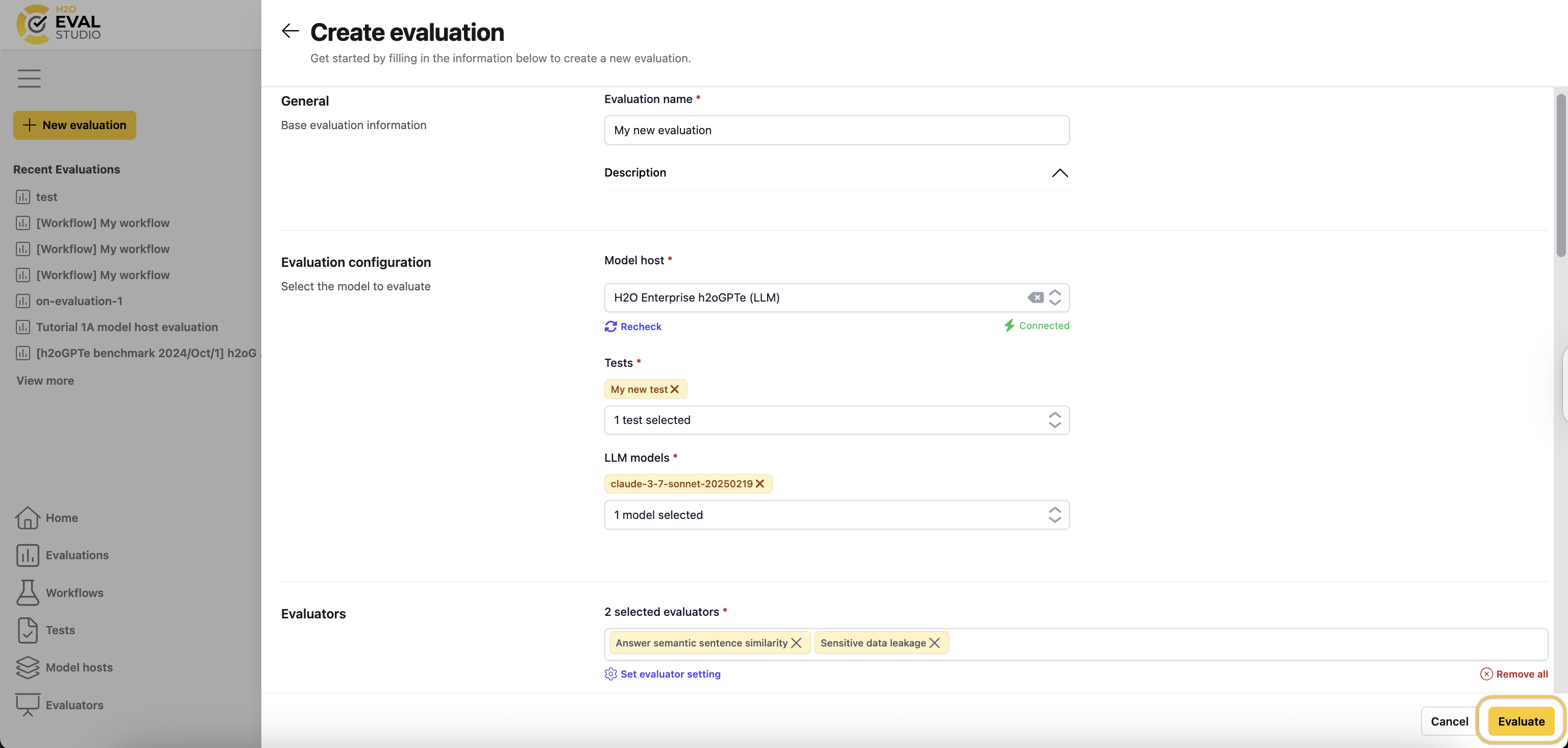
To create a new evaluation:
- In the left navigation menu, click Evaluations.
- Click New evaluation.
- Enter a name for the evaluation.
- Enter a description for the evaluation.
- From the Model host drop-down menu, select the model you want to evaluate.
- Select the tests you want to use. For more information, see Tests.
- Select the LLM models you want to use for the evaluation.
- (Optional) From the Existing collection drop-down menu, select a collection if you want to reuse an H2OGPTe collection instead of creating a new one. A new collection is created only if no existing collection has the specified name.
- Select the evaluators you want to use. For more information, see Evaluators.
- (Optional) Set advanced model settings. For more details, see model host–specific Advanced settings.
- Click Create.
Import an existing evaluation
JSON representation of an existing Test Lab - which is a Test Suite with resolved actual answers - can be imported in H2O Eval Studio to reuse its test cases including actual answers. Importing an evaluation is useful when you want to reuse the same test cases in a new evaluation.
To import a Test Lab in H2O Eval Studio, follow these steps:
-
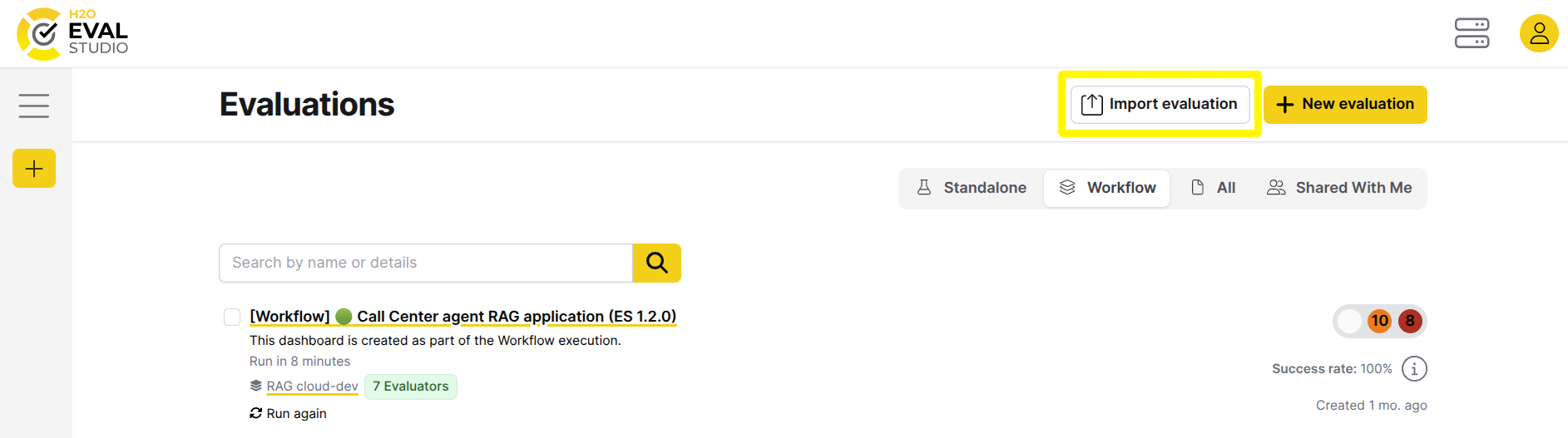
In the main navigation, click Evaluations.
-
Click the Import evaluation button.
-
Do not fill Model host as the actual answers will be taken from the imported JSON file.
-
Enter a name for the evaluation, description, and evaluators.
-
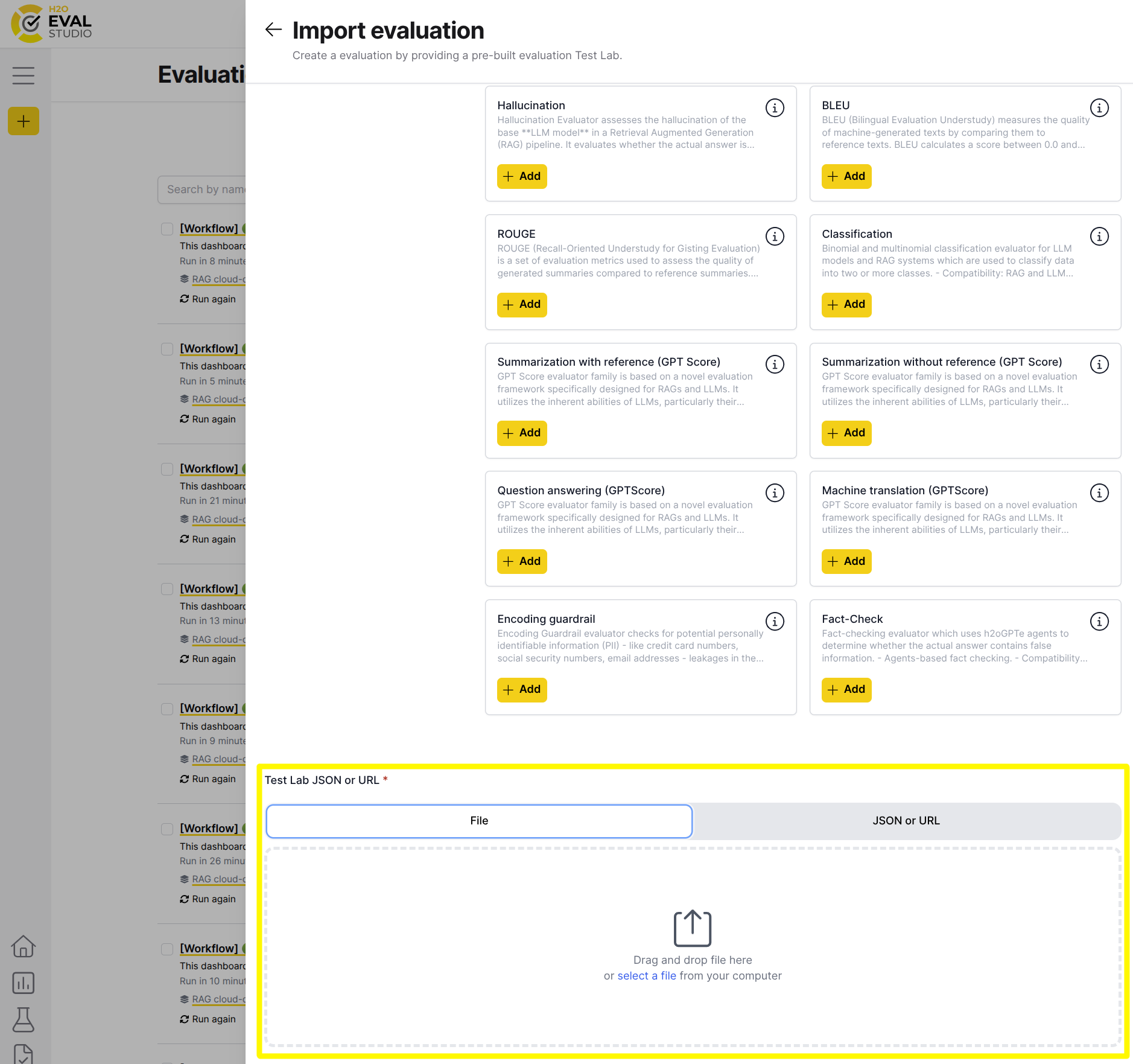
Scroll down and upload File, paste JSON or specify URL of the Test Lab file to import:
-
The following is an example of Test Lab JSON:
{"name": "Fact Checking TestLab","description": "Test lab for RAG / LLM / agent evaluation.","raw_dataset": {"inputs": [{"key": "9c3a7df3-67df-4819-babb-20636611f077","input": "What is the boiling temperature of H2O?","corpus": [],"context": [],"categories": ["question-answering"],"relationships": [],"expected_output": "","output_condition": "","actual_output": "","actual_duration": 0.0,"cost": 0.0,"model_key": "d4a7c0dd-a3ff-487e-86e5-57718b812b54"}]},"dataset": {"inputs": [{"key": "9c3a7df3-67df-4819-babb-20636611f077","input": "What is the boiling temperature of H2O?","corpus": [],"context": [],"categories": ["question-answering"],"relationships": [],"expected_output": "","output_condition": "","actual_output": "The boiling point of water (H2O) is 300 degrees Celsius (212 degrees Fahrenheit) at standard atmospheric pressure.","actual_duration": 4.015823125839233,"cost": 0.0022799999999999487,"model_key": "d4a7c0dd-a3ff-487e-86e5-57718b812b54"}]},"models": [{"connection": "c8c036a0-659b-4d3c-9309-1d2a47042950","model_type": "h2ogpte_llm","name": "LLM model h2oai/h2ogpt-4096-llama2-70b-chat","llm_model_name": "h2oai/h2ogpt-4096-llama2-70b-chat","key": "d4a7c0dd-a3ff-487e-86e5-57718b812b54"}],"llm_model_names": ["h2oai/h2ogpt-4096-llama2-70b-chat"]} -
Click Import.
The file is imported and a new evaluation runs.
- Submit and view feedback for this page
- Send feedback about H2O Eval Studio to cloud-feedback@h2o.ai